Interhaptics Player (iOS/Android)
Interhaptics Player lets you test and evaluate haptic effects on a mobile device with haptic capabilities (iOS/Android). You can play effects from a built-in Haptic Sound Library, import your own creations, and test designs sent live from the Haptic Composer. Follow the steps below to get started.
Step 1: Download the Interhaptics Player app
- Download the Interhaptics Player app from the Google Play Store and the App Store.
- Open the app and follow the short onboarding to reach the home screen.
Step 2: Connect to the Haptic Composer
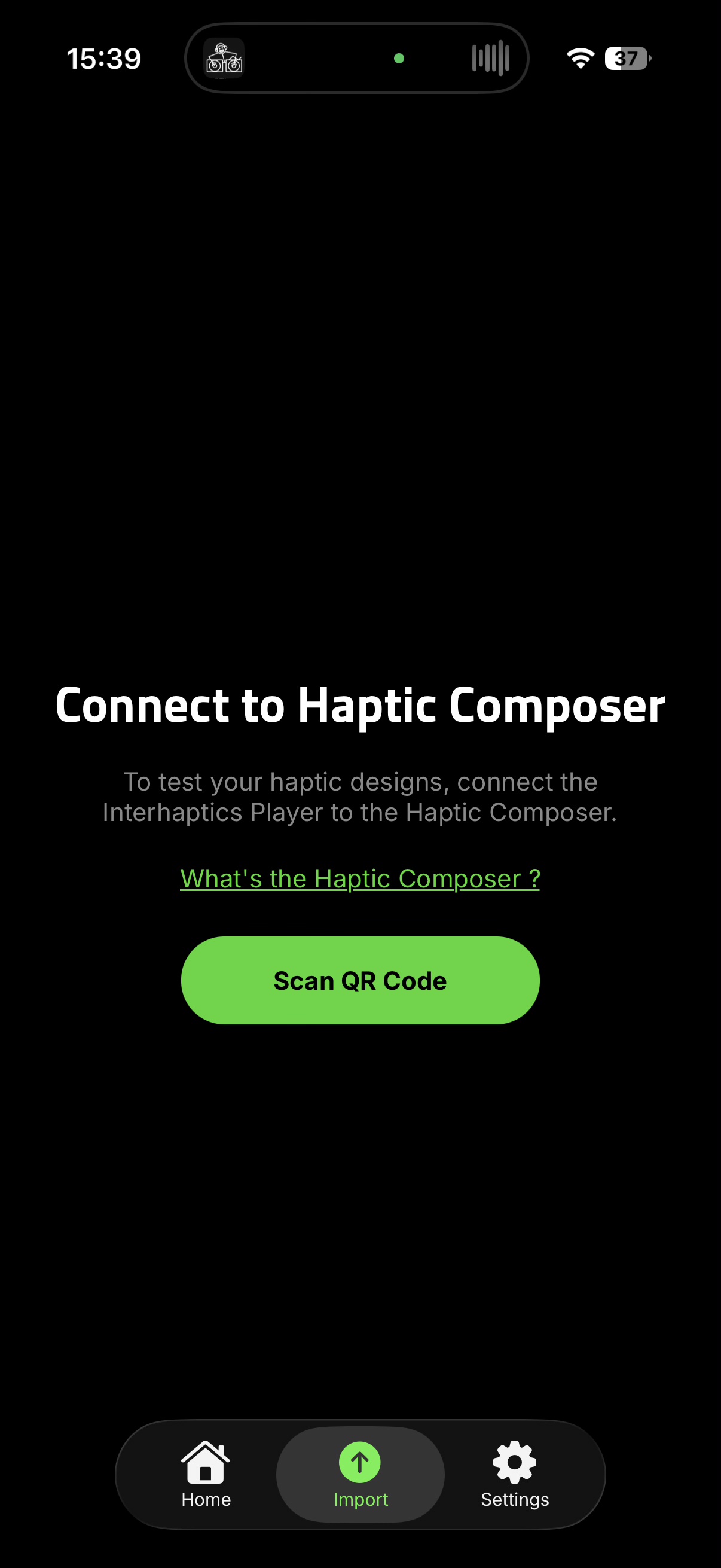
To test your own haptic designs, connect the Interhaptics Player to the Haptic Composer.
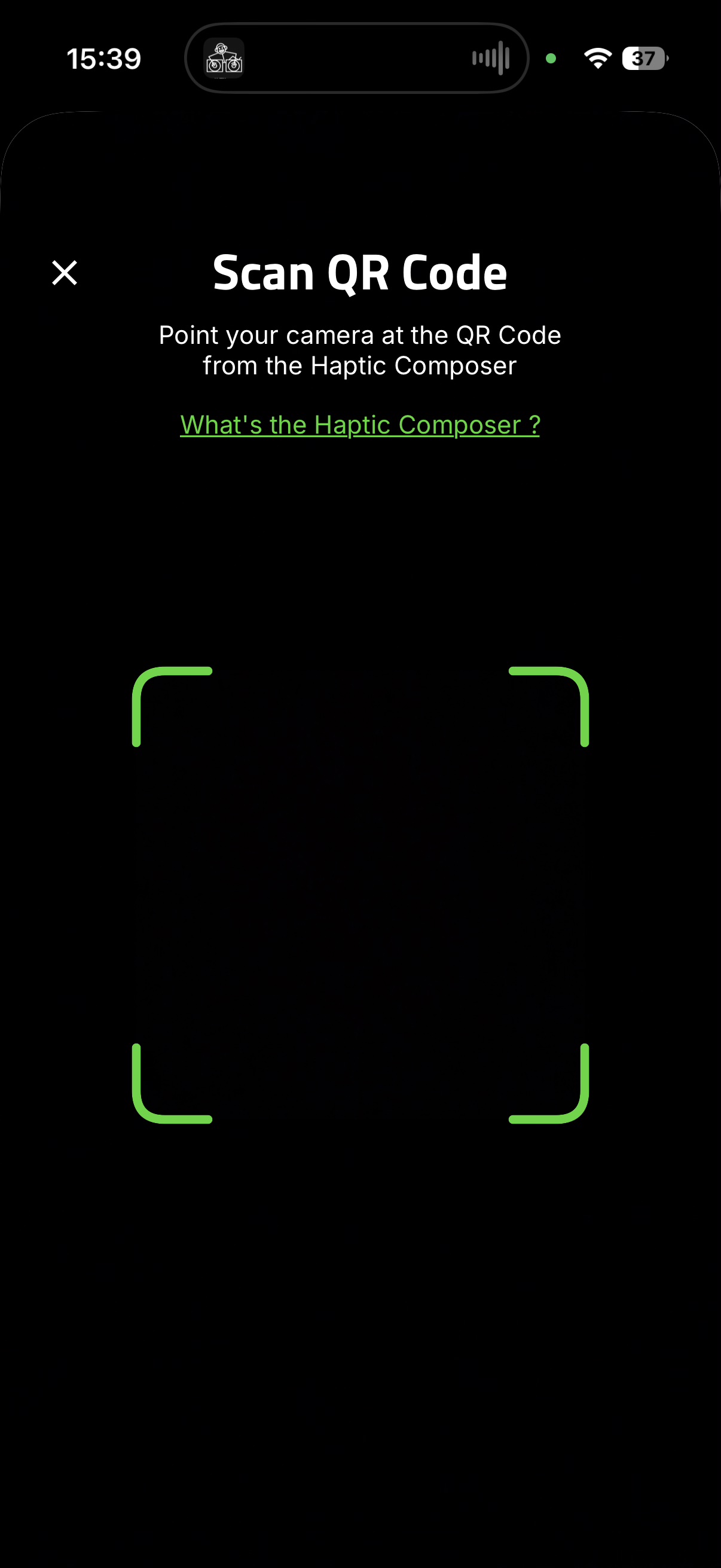
- Open the Import tab and tap Scan QR Code.
- Point your camera at the QR code generated by the Haptic Composer.
- Once connected, effects you send from the Haptic Composer appear on your device after a few seconds.
Step 3: Browse the Haptic Sound Library
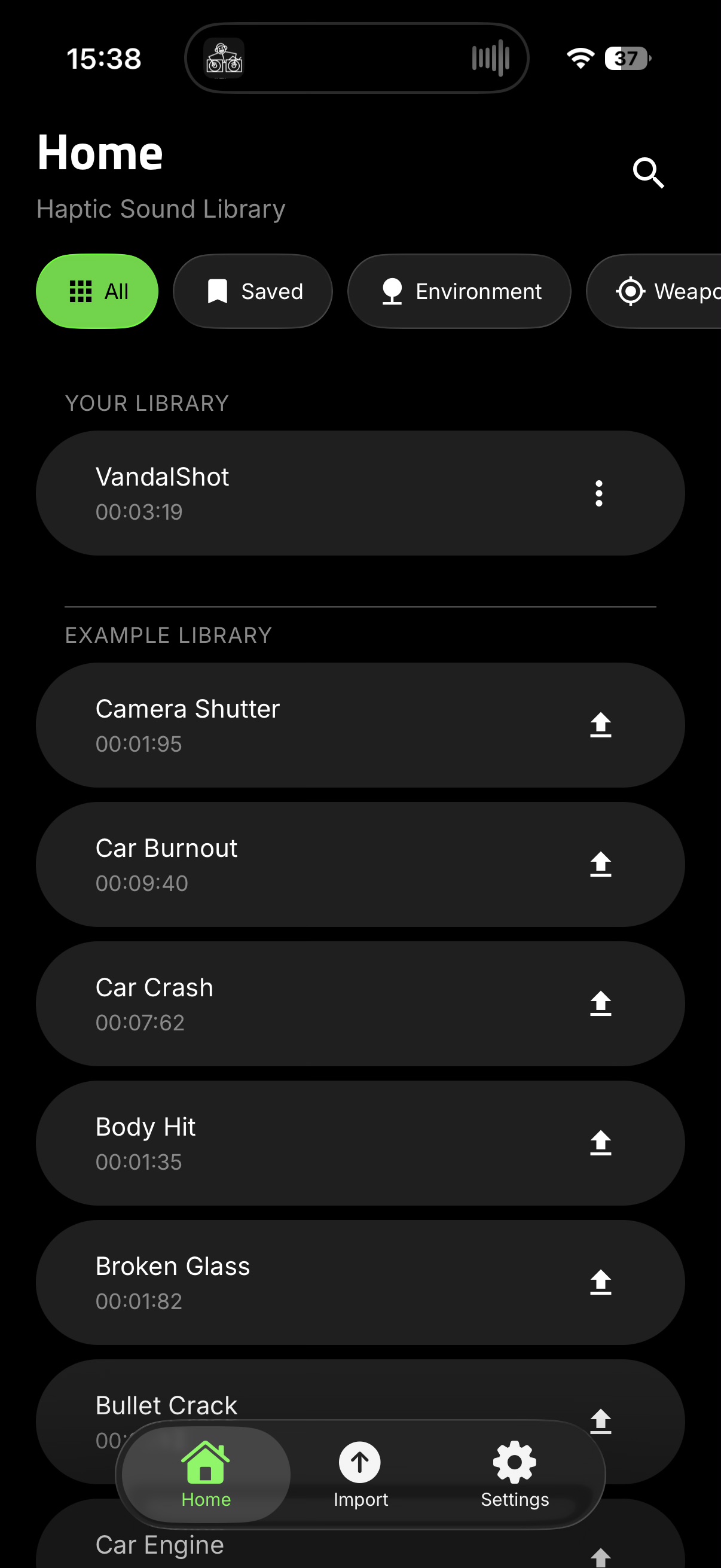
The Home tab contains the Haptic Sound Library. Use the category filters (All, Saved, Environment, Weapons, and more) to find effects quickly.
- Your Library lists effects you have imported or saved.
- Example Library contains a curated set of ready-made haptic effects to feel in real time.
Tap any effect to play it and feel the haptics on your device.
Step 4: Test and adjust effects
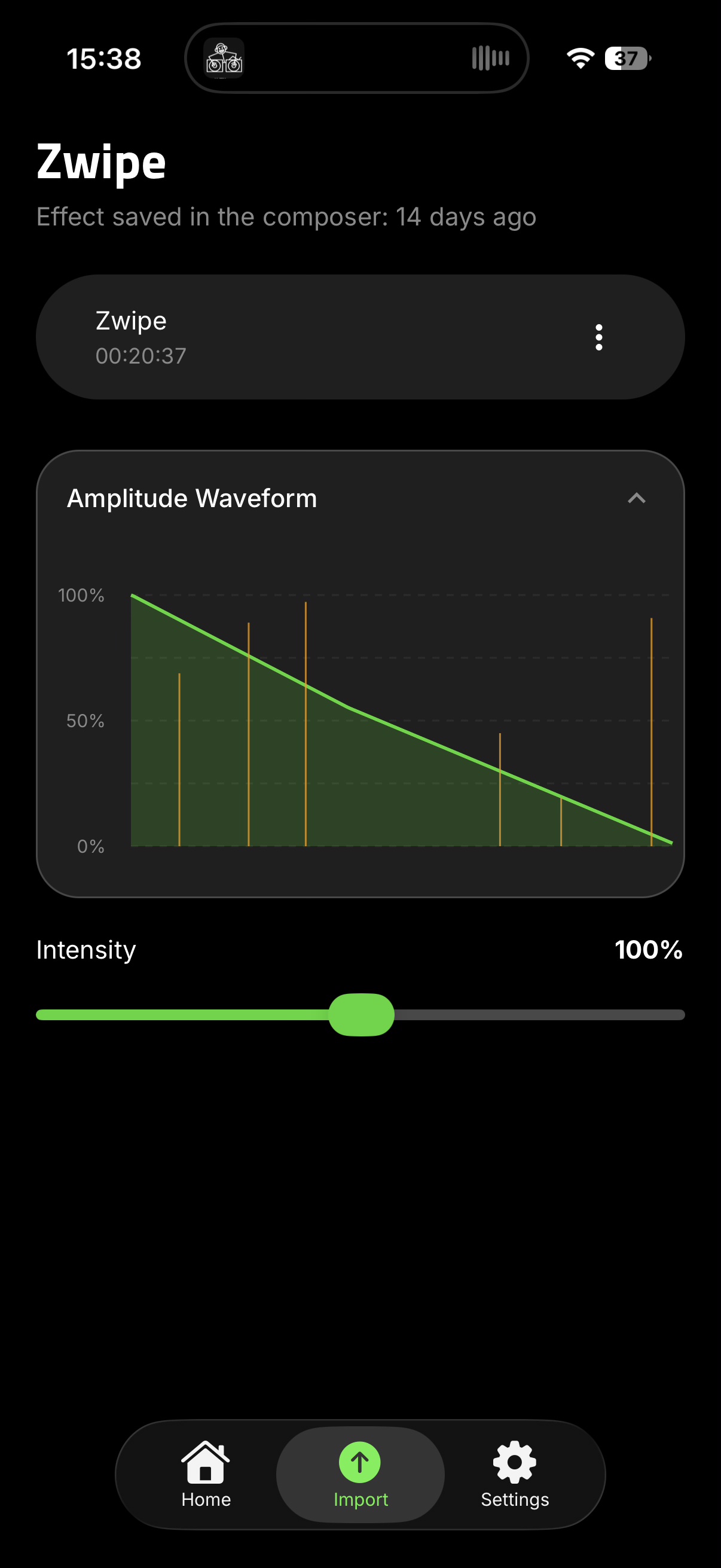
Open an effect to view its details. The Amplitude Waveform shows the effect's intensity over time, and the Intensity slider lets you scale playback strength. From the effect's menu you can Save the effect to your library or Export it.
Settings
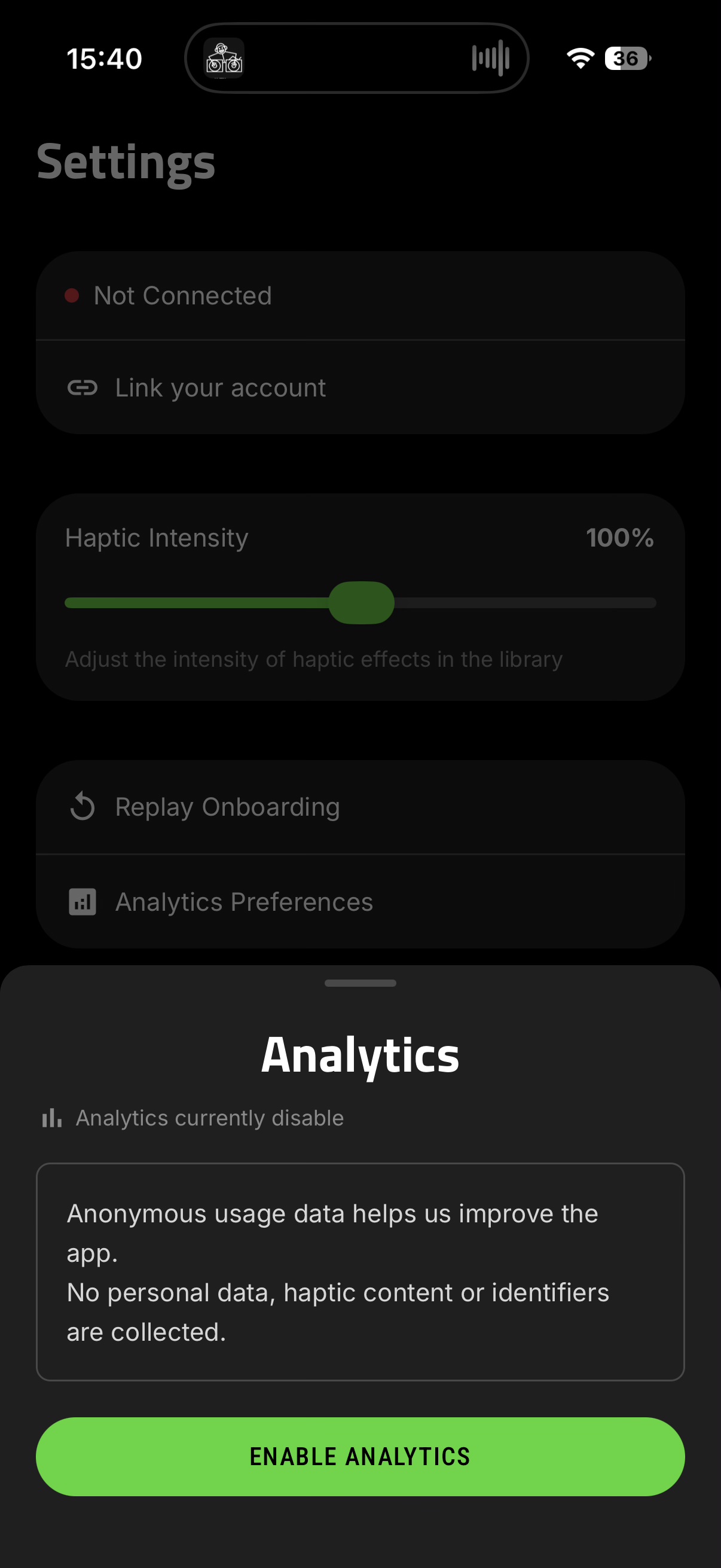
In the Settings tab you can:
- Link your account to sync your work across the WYVRN ecosystem.
- Adjust the global Haptic Intensity of effects in the library.
- Replay Onboarding to revisit the introduction screens.
- Manage Analytics Preferences (anonymous usage data only — no personal data, haptic content, or identifiers are collected).
Known Issues
- Haptics on Samsung Galaxy devices can have some different behaviours.
Compatibilities
| iOS | Android |
|---|---|
| Starting from iPhone 8 to current generation of iPhone (15), including iPhone SE (2nd Generation) | Android API 26+ Amplitude control for maximum efficiency |